AI Marketing for Nonprofits and Associations: A Practical Guide

If you work on a one-, two-, or three-person marketing team, “do more with less” probably isn’t new. You’re writing emails, updating the website, creating social posts, building campaigns, pulling reports, managing ads, answering internal requests and somehow finding time to think about strategy. Associations have a similar challenge, with membership communications, events, education and member engagement added to the mix.
That’s where AI can add real value. Not as a replacement for your marketing team, and not as a magic button that creates a brilliant campaign while you sit back and watch.
The real opportunity is much more practical: use AI to take repetitive work off your plate so your team has more time for the work that requires judgment, creativity and an understanding of your audience.
The trick is figuring out where AI belongs in your existing marketing workflow — and which tools are actually worth adding.
What Is AI Marketing for Nonprofits?
AI marketing for nonprofits and associations is the use of artificial intelligence to help plan, create, personalize, automate and analyze marketing activities.
That can include everything from using ChatGPT to turn a rough campaign idea into an email outline to using AI-powered advertising tools to identify audiences and optimize campaigns.
For a nonprofit, that might mean:
- Drafting an email campaign from a campaign brief
- Turning a long impact report into social posts
- Creating several versions of a donation appeal
- Generating design concepts for an event
- Identifying patterns in campaign performance
- Finding search opportunities for your website
- Segmenting supporters based on engagement
- Automating repetitive marketing tasks
For associations, that extends to:
- Drafting member communications
- Developing event promotion
- Assisting with education programs
- Creating content around renewals
- Developing or refining engagement campaigns
The important distinction is that AI should handle more of the production work, not the responsibility for your message. Your team still decides what you want to say, who needs to hear it and whether the final result sounds like your organization.
Mapping the Nonprofit Marketing Workflow: Where AI Fits
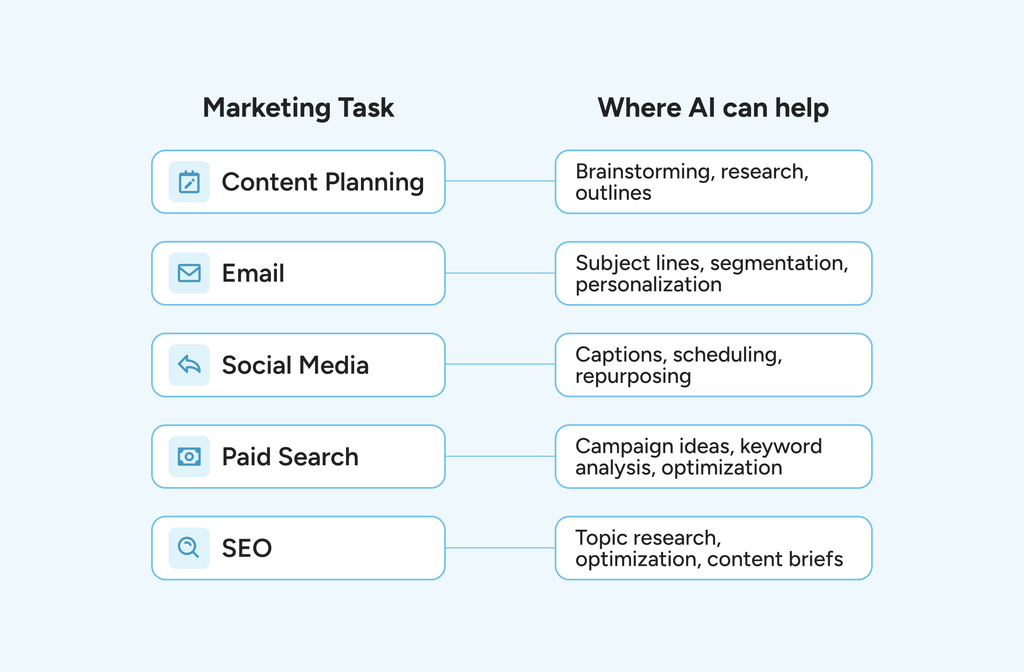
Before buying another AI tool, map the work you’re already doing.
A simple marketing workflow might look something like this:
| Marketing task | Where AI can help |
| Content planning | Brainstorming, research, outlines |
| Copywriting | Drafts, variations, repurposing |
| Design | Graphics, resizing, creative concepts |
| Social media | Captions, scheduling, repurposing |
| Subject lines, segmentation, personalization | |
| SEO | Topic research, optimization, content briefs |
| Paid search | Campaign ideas, keyword analysis, optimization |
| Reporting | Summaries, trend identification |
This is essentially your AI-powered marketing automation stack for nonprofits — but you don’t need every category on day one. Start with the parts of your job that are repetitive, time-consuming and relatively low-risk. That’s where you’ll see the quickest payoff.
Building a Lean AI Marketing Stack: The Essential Tools
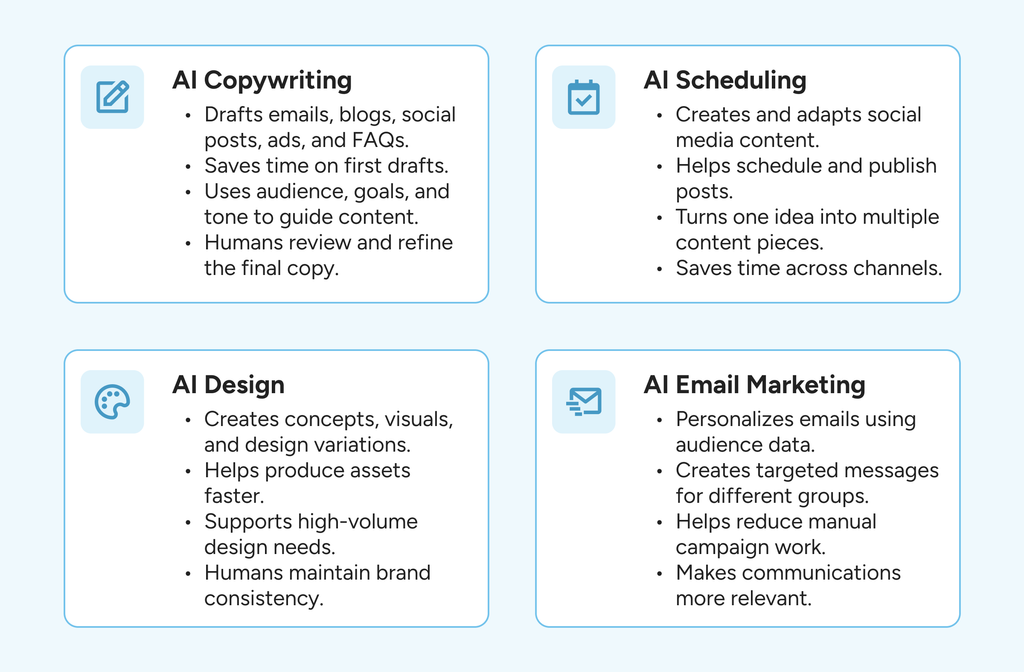
You don’t need 15 AI subscriptions. In fact, adding a bunch of disconnected tools can create another problem: someone has to maintain them all.
A lean team can get surprisingly far with a few tools, each with a clearly defined job.
AI Copywriting
Generative AI tools like ChatGPT and Claude can handle much of the first-draft work that eats up marketing time.
These tools are useful for:
- Email drafts
- Blog outlines
- Social media captions
- Ad variations
- Campaign concepts
- First draft briefs
- FAQs
This is where AI copywriting for nonprofits and associations can save the most obvious time.
But don’t hand an AI tool a prompt like “Write a fundraising email” and paste whatever comes back. Give the tool more useful input: your audience, goal, offer, tone, key facts, words you use regularly and examples of your existing messaging.
Then treat the output as a draft. A good rule of thumb: AI writes the first version. A human makes it yours.
AI Design
Design can be another major time sink for small teams.
AI-assisted design tools can help create concepts, generate visual elements, resize creative and produce variations for different channels.
Canva AI can be particularly useful when your team already works in Canva and needs to produce a high volume of everyday marketing assets.
Adobe Firefly is another option for teams already working in the Adobe ecosystem.
These tools can help streamline branding for nonprofits, but there’s an important limitation: generating an image isn’t the same as maintaining a brand.
Your team should still control:
- Brand colors
- Typography
- Logos
- Accessibility
- Image selection
- Visual consistency
Tip: AI helps you move from a blank canvas to something workable, but you should still review it for accuracy and branding.
AI Scheduling
Social media is a classic example of work that can consume disproportionate amounts of time.
AI can help brainstorm captions, adapt a post for different platforms and generate variations. Scheduling tools such as Buffer can then help your team plan and publish content.
A useful workflow is:
One idea → multiple pieces of content.
For example, a nonprofit’s annual impact report could become:
- One LinkedIn post
- Three Facebook posts
- Several Instagram captions
- A short email
- A blog article
- A donor thank-you message
For an association, the same approach could turn one webinar, conference session or member survey into weeks of useful content.
That’s much more efficient than starting from scratch for every channel.
AI Email Marketing
Platforms such as Mailchimp and Klaviyo offer AI assistance for copy, personalization, and campaign optimization, without requiring a completely new system. The opportunity here isn’t just about generating more aesthetic emails. Rather, it’s about making your existing audience data more useful.
For example, instead of sending the same message to your entire database, you might create different versions for:
- New donors
- Long-term donors
- Lapsed donors
- Monthly donors
- Event attendees
- Volunteers
Associations can do something similar with:
- New members
- Long-term members
- Members approaching renewal
- Event attendees
- Credential holders
- Highly engaged members
The more relevant the message, the less work your team has to do manually to make every campaign feel personal.
Keeping Your Brand Voice: How to Stop AI From Sounding Generic
This deserves its own section because it’s where many nonprofit teams run into trouble. AI tends to make everything sound polished. Unfortunately, “polished” often means “generic.”
You don’t want your donor email to sound like it was written by every other nonprofit, and an association doesn’t want its member communications to read like boilerplate.
Create a simple brand-voice guide for your AI tools. Use specific examples, plain language, active voice, things to avoid, and how you want your organization to sound (tone). You can also give AI examples of your best existing content and ask it to identify the patterns before asking it to write anything new.
And always review the facts. AI can confidently produce an incorrect statistic, misstate a program detail or invent a source. That’s particularly risky when you’re communicating with donors, members or the public.
For mission-driven organizations, trust is more important than saving 10 minutes on a draft.
Using AI to Optimize Your Google Ad Grant
For eligible nonprofits, Google Ad Grants can provide up to $10,000 per month in in-kind Google Search advertising. That doesn’t mean every organization will spend the full amount — actual delivery depends on factors including bids, competition, ad quality and available searches.
Google itself now incorporates AI into its advertising products. But AI doesn’t remove the need for good campaign management.
A practical workflow looks like this:
- Start with the conversion: What’s the call to action? Donate? Register for an event? Volunteer? Sign up for a newsletter? Download a resource? Google requires active and accurate conversion tracking for Ad Grants accounts, including at least one conversion per month.
- Use AI to expand your keyword research: Ask AI to generate related search terms based on your programs, audiences and mission. Then manually review the list. AI can generate ideas. It doesn’t know which searches actually make sense for your organization.
- Look at your search terms: Your actual search-term data is more valuable than an AI-generated list. Use it to identify relevant queries, irrelevant traffic and potential negative keywords.
- Improve the landing page: Don’t send every ad to your homepage. Match the ad to the action you’re asking people to take. Google’s Ad Grants requirements include having a high-quality, functional website and mission-focused landing experience.
- Let AI assist with optimization — not governance: AI can surface patterns and suggest changes. Someone on your team should still review major changes, especially when campaigns involve sensitive issues, donor communications or significant targeting changes.
Remember that Ad Grants has specific policies around keywords, ad groups, sitelinks, conversions and other account requirements.
How Much Time Can AI Actually Save?
A small nonprofit that spends five hours a week drafting and repurposing content will have a different opportunity than an association with a full marketing department.
But you can estimate your own potential savings.
Take a typical week and estimate how much time you spend on:
- Writing first drafts
- Repurposing content
- Creating social posts
- Building email campaigns
- Designing routine graphics
- Reporting
- Research
- Updating spreadsheets
- Campaign setup
Then identify which tasks are repetitive.
If you spend two hours creating a week’s social content, for example, AI might cut the initial drafting and repurposing time substantially—while still leaving review and scheduling to a human.
Ask yourself: Which five hours of work could I turn into two without lowering quality?
Where to Start: An Implementation Priority Order for Lean Teams
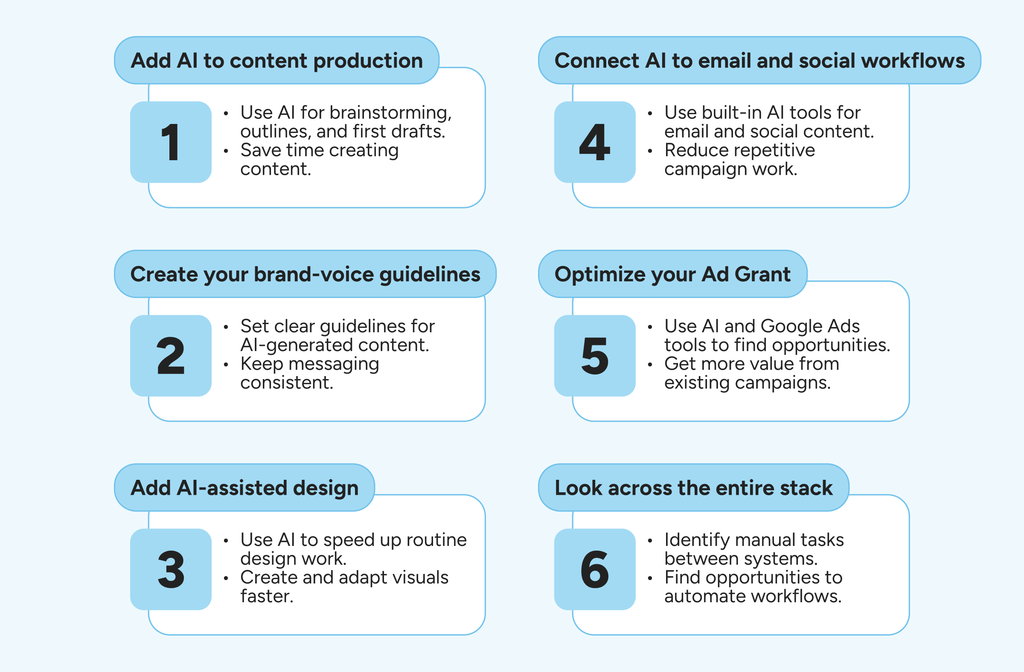
Don’t try to overhaul your entire marketing operation at once.
Start here:
- Add AI to content production: Use ChatGPT or Claude for brainstorming, outlines, and first drafts to reduce the time spent starting from a blank page.
- Create your brand-voice guidelines: Give your team a shared framework for using AI consistently, so every AI-generated asset doesn’t sound the same.
- Add AI-assisted design: Use Canva AI or Adobe Firefly where they fit your existing workflow to speed up routine creative production.
- Connect AI to email and social workflows: Use the AI features already available in your marketing platforms before adding another standalone tool to reduce repetitive campaign work.
- Optimize your Ad Grant: Once your tracking and campaigns are in good shape, use AI-assisted tools and Google Ads’ built-in capabilities to find opportunities to use an existing resource better.
- Look across the entire stack: Once you’ve adopted several point tools, ask a different question: Where are we still manually moving information from one system to another?
That’s where the next stage of AI gets interesting.
Bringing It Together With an AI Platform Built for Nonprofits and Associations
A collection of AI tools can speed up individual tasks. But eventually, you can end up with a different problem: a collection of AI tools.
One handles content. Another handles email. Another handles design. Another handles analytics. Your CRM has its own AI features. Your marketing platform has another set.
Someone still has to connect the dots.
MomentiveIQ is Momentive’s AI platform for nonprofits and associations, designed to work across the systems organizations already use rather than functioning as another isolated marketing tool.
It brings together AI-driven insights, workflow automation and analytics while keeping actions governed and auditable. The platform is built specifically around the needs of nonprofits and associations, drawing on more than 40 years of sector experience.
That distinction matters.
A generic AI tool doesn’t necessarily understand the difference between a donor and a member, why a renewal matters differently than a donation, or why an association might need to balance member engagement with event revenue and education programs.
The goal isn’t to replace the smaller tools that are already working for your team.
It’s to eventually move from “We have AI tools” to “AI is actually helping our organization work.”
MomentiveIQ is included in existing Momentive subscriptions, with a premium add-on available, giving organizations already using Momentive technology a way to build AI into their broader workflow.
For a lean team, that’s the bigger opportunity: fewer disconnected tasks, better visibility into what’s happening across your systems and more time for the work that still needs a human being behind it. Get your MomentiveIQ demo, and see how we can help!
FAQs
What is AI marketing for nonprofits?
AI marketing uses artificial intelligence to assist with marketing tasks such as content creation, emails and newsletters, social media, design, SEO, advertising, and campaign analysis. The most useful tools automate repetitive work while leaving strategy, judgment, and final approval with the marketing team.
Which AI marketing tools are best for a small nonprofit budget?
Start with tools you already use that have built-in AI capabilities. Tools like ChatGPT or Claude can support content production, while Canva AI, Mailchimp, and Google Ads can assist with the design, email/newsletter, and advertising workflows.
How do I keep AI content in my nonprofit’s brand voice?
Give your AI tool examples of existing content, a short brand-voice guide, and specific instructions about what to avoid. Most importantly, have a human review the final copy. AI can imitate patterns, but your team understands your organization’s personality and audience better than AI can.
Can AI help manage and optimize a Google Ad Grant account?
Yes. AI can assist with keyword research, ad variations, campaign analysis, and campaign optimization. Google also uses AI within its advertising products. However, nonprofits still need to follow Ad Grant requirements and maintain accurate conversion tracking.
How much time does AI marketing actually save a nonprofit team?
It depends on how much repetitive marketing work your team currently does. Track the hours spent on drafting, reporting, and designing before and after introducing AI to find out where AI is actually making a difference.
Where should a nonprofit start when building an AI marketing stack?
Start with content and repurposing, then establish your brand-voice guidelines. From there, add AI-assisted design, email, and social workflows, followed by Google Ad Grant optimization if your organization participates. Once several tools are in place, look for opportunities to connect the workflows rather than continuing to add standalone tools.
The best AI stack isn’t necessarily the one with the most tools. It’s the one that removes the most repetitive work without making your marketing feel less human.