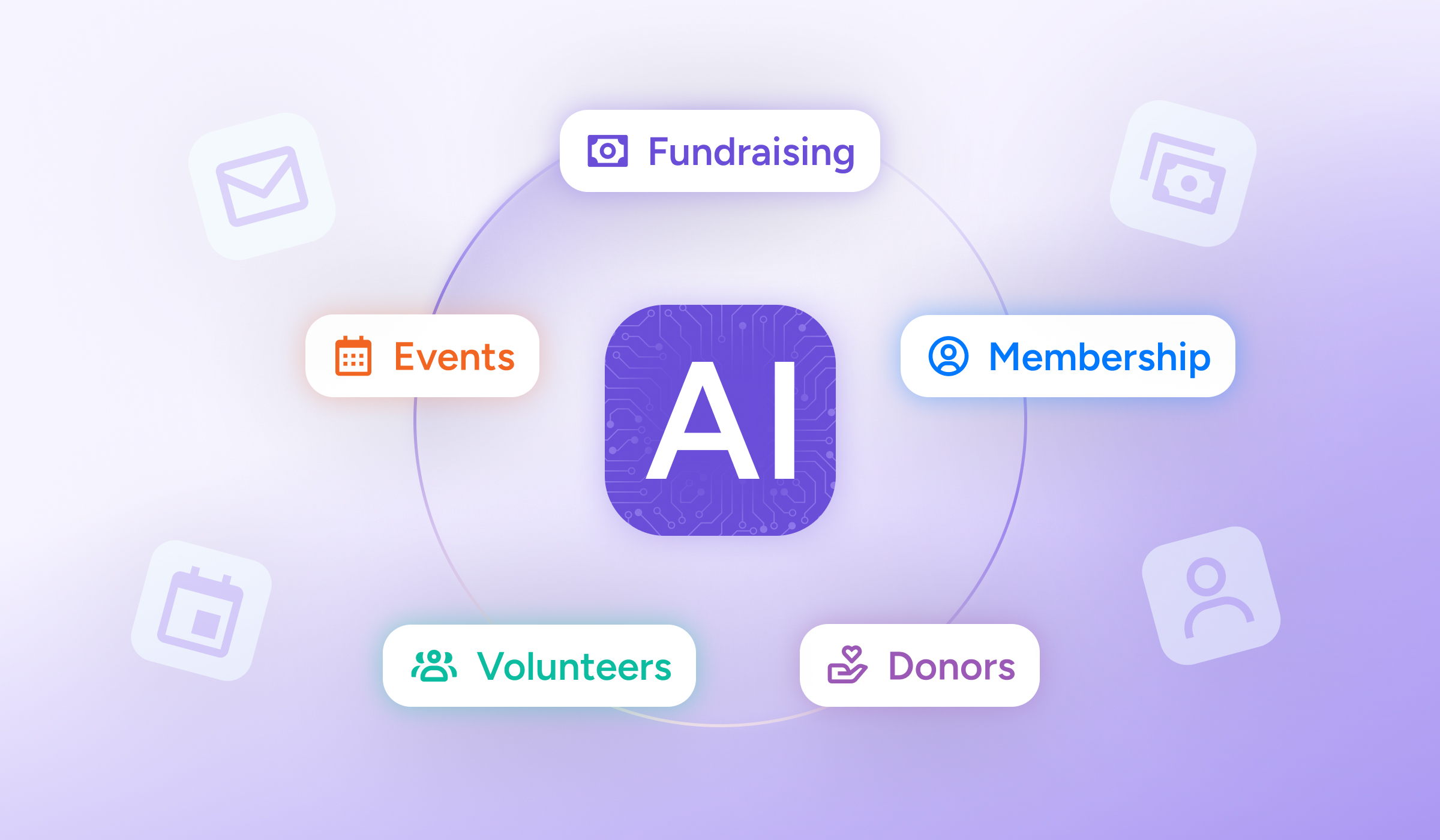

The best AI tools for nonprofits in 2026 fall into one of two groups: purpose-built platforms designed for nonprofit data and workflows, and general-purpose, free AI tools for nonprofits that work across teams. In general, AI tools for nonprofits are software platforms and applications that use artificial intelligence to automate tasks, analyze donor data, personalize engagement, and support operations, allowing organizations to work more efficiently and focus more resources on their mission.
Most nonprofits already use AI in some form. The real divide in 2026 is not which tools you choose. Instead, it’s the difference between organizations that stack disconnected tools and those that run an integrated AI ecosystem where the tools actually share data with one another. This guide covers both layers: the platform that connects your information, and the best complementary tools by function.
What Makes an AI Tool Worth Using for Nonprofits?
Not every tool that carries an “AI” label deserves a place in your technology stack. Simply adopting the best AI tools for nonprofits won’t move the needle on your team’s productivity. That’s only half the equation, and the data supports this. According to the 2026 Nonprofit AI Adoption Report from Virtuous and Fundraising.AI, 92% of nonprofits report using AI, yet only 7% said it meaningfully expanded what they can get done. The report dubbed this gap an “efficiency plateau.”
The most common reason for this stagnation in productivity is simple: when tools don’t share data, your team has to reconcile every insight by hand. This necessary cross-checking negates the time AI was supposed to save in the first place. Adding more tools to a fragmented system only produces faster chaos, not more capacity.
But nonprofit teams can avoid this common pitfall with a few key questions. Asking these four questions will separate a purpose-built nonprofit platform from a general-purpose tool you’re bolting onto your technology stack:
- Does it understand nonprofit data and workflows? Donor records, gift histories, membership tiers, and event attendance are not generic CRM fields. Tools built for the sector recognize them out of the box.
- Does it connect to your existing systems? A tool that cannot read or write to your other platforms creates a new island of data instead of removing one.
- Does it surface actionable insight, not just output? Drafting an email faster is useful. Telling you which lapsing donor to email first is transformative.
- What kind of AI is it? Generative AI creates things: it drafts copy, writes grant narratives, and produces images. Predictive AI studies historical data and patterns to forecast what is likely to happen next, such as which donors are most likely to give. Agentic AI completes a multi-step task and writes the result back into your systems, with a human approving the work. Most nonprofits need a combination, but each solves very different problems.
How We Evaluated The Best AI Tools
Before naming a tool here, we reviewed each vendor’s own product and pricing pages rather than competitor roundups, and we did not list an AI feature unless we could verify it on the vendor’s current site. For anything in the Momentive ecosystem, we describe what is live today, not what is on the roadmap. Free and nonprofit-discounted pricing changes often, so confirm current terms directly with each vendor before you commit.
For independent guidance on evaluating AI responsibly, NTEN’s AI for Nonprofits resource hub is a solid starting point.
Best AI Tools for Nonprofit Fundraising and Donor Management
Fundraising is where AI vendors make the boldest claims, so it’s also where the evidence bar should be highest. Below are two dedicated AI fundraising tools; If you run giving and supporter records on dedicated fundraising software and donor management software, the AI fundraising tools below layer prospect intelligence and conversion optimization on top of that foundation.
DonorSearch Ai
DonorSearch Ai applies predictive machine learning to prospect research, layering customizable AI models on top of your donor data and DonorSearch’s philanthropic database.
Key AI features:
- ‘Most Likely to Respond’ scoring: Ranks prospects by likelihood of responding to an appeal, combining your giving history with engagement signals rather than wealth data alone.
- Retention and upgrade models: Separate predictive models flag which existing donors are likely to give again and which are ready for a larger ask.
- Enhanced CORE: A lighter, standardized entry tier for organizations new to predictive AI before stepping up to full customization.
Pricing: Not published. DonorSearch quotes based on organization size and prospect volume, typically after a demo.
Use case: A team preparing for a capital campaign runs its donor file through DonorSearch Ai, then prioritizes major gift officer time on the top-scored prospects instead of working the list alphabetically.
Best for: Development teams that want to prioritize outreach with predictive donor analytics rather than gut feel.
Fundraise Up
Fundraise Up is an online donation platform that runs AI throughout checkout rather than in a single bolt-on feature.
Key AI features:
- AI-suggested ask amounts: Donation buttons adjust in real time based on device, location, and behavior instead of showing fixed tiers to everyone.
- Adaptive Cost Coverage AI: Decides the right moment to ask a donor to cover transaction fees.
- Recurring giving prompts: AI-timed upsell screens convert one-time donors to monthly givers.
Pricing: No platform or subscription fee; Fundraise Up charges a transaction fee plus standard payment processing fees, per its published pricing page.
Use case: A nonprofit running a year-end campaign swaps a static “$25 / $50 / $100” form for Fundraise Up, so a returning donor sees an amount based on their own giving history instead of a generic tier.
Best for: Organizations that want AI-optimized donation forms without adding a separate prospect research tool.
Where Momentive’s Fundraising Products Fit in Your AI Tech Stack
GiveSmart, VolunteerMatters, and Momentive Donor Management aren’t AI tools in the sense above, and we want to be straightforward about that. Each is a full platform in its own right which connects to MomentiveIQ—Momentive’s AI layer.
MomentiveIQ’s AI Analytics is included in every Momentive subscription for cross-platform reporting; the new Agentic Workers capability is rolling out to association clients first, with nonprofit- and event-specific workers still on the roadmap.
GiveSmart: Mobile bidding and auctions, online giving pages, peer-to-peer campaigns, and donor CRM in one platform.
VolunteerMatters: Volunteer recruitment, scheduling, communication, and hours tracking, connectable to the same donor record GiveSmart builds.
Momentive Donor Management: Gift history, pledge tracking, and stewardship on the same donor CRM as GiveSmart.
Pricing is quote-based; Momentive prices by organization size and product combination rather than publishing flat tiers.
Use case: A nonprofit running GiveSmart for its gala and VolunteerMatters to staff it sees event attendance, giving, and volunteer hours for the same supporter in one record, then uses MomentiveIQ AI Analytics to flag who’s trending toward a lapse.
Best AI Tools for Nonprofit Content and Grant Writing
Generative AI shines in this category. These tools turn blank pages into solid first drafts that your team can refine.
Claude
Claude is a generative AI assistant well suited to longer-form, nuanced writing, including:
- Grant narratives
- Donor communications
- Case statements
- Impact stories
It is strong at holding a consistent voice and adapting tone for different audiences, which makes it a capable partner for drafting and refining mission-critical copy.
Key AI Features:
- Projects: Groups related chats, uploaded source documents, and instructions in one place, so an LOI, budget narrative, and outcomes section can all draw on the same grant file instead of starting from scratch each session.
- Artifacts: Opens a long-form draft, like a full grant narrative, in a dedicated editing pane you can revise section by section instead of scrolling a chat thread.
- Large context window: Can take in a lengthy RFP, past proposal, or annual report in one pass and hold that detail throughout the drafting session.
Pricing: Free tier; Pro is $20/month ($17/month billed annually); Team plans start around $20–25/seat/month billed annually
Use case: Drafting a first pass at a foundation LOI, then having a program officer revise it with organization-specific detail Claude wasn’t given.
Best for: Drafting grant narratives and donor communications that need a consistent, on-brand voice.
ChatGPT
ChatGPT is a versatile generative assistant that excels at brainstorming, outlining, and producing bulk first drafts quickly. Try it specifically for tasks like writing social captions and newsletter sections. It’s a fast way to get past the blank page when you need volume and variety.
Key AI Features:
- Canvas: Opens a side-by-side editing window for longer documents, so you and ChatGPT can revise a draft section by section instead of regenerating the whole thing.
- Custom GPTs: Build a saved assistant preloaded with your mission statement, style guide, and past materials, so staff don’t re-explain context every session.
- Web browsing: Pulls current information from the web into a draft, useful for citing a recent statistic or checking a funder’s latest guidelines.
Pricing: Free tier; ChatGPT Plus is $20/month
Use case: Turning a list of program outcomes into a dozen social captions in different tones for quick A/B testing.
Best for: Brainstorming ideas and generating high-volume first-draft content.
Grantable
Grantable is purpose-built for grant writing. It learns from your organization’s past proposals and source materials, so new drafts already sound like you. It also helps break an RFP into required sections and reuse approved language. Unlike a general chatbot, it’s built around the grant lifecycle rather than one-off prompts.
Key AI Features:
- Organizational memory: Reads your website, past 990s, and previously submitted proposals into a standing profile, so it doesn’t start from zero on every application.
- Funder matching: Screens IRS 990 filings to surface foundations that fund work like yours, ranked by fit.
- Draft generation: Produces a first-pass LOI or proposal in your organization’s voice, pulling from your past writing rather than a generic template.
Pricing: Free tier for funder discovery and basic AI; Starter around $50/month, Pro around $150/month with the full intelligence layer; nonprofit discount for organizations under $500K in budget
Use case: A two-person development team reuses last year’s approved program narrative as the starting point for this year’s renewal instead of writing from scratch.
Best for: Teams that write grants regularly and want drafts grounded in their own approved materials.
Canva AI
Canva pairs an easy, intuitive design editor with AI features for generating images, editing photos, and producing on-brand graphics for social posts, reports, and flyers. For small teams without a dedicated designer, it turns design from a bottleneck into a quick task.
Key AI Features:
- Magic Design: Generates a full set of on-brand layout options, like a social post or one-page flyer, from a short text prompt or an uploaded file.
- Magic Write: Drafts captions, headlines, or short copy directly inside a design’s text box, so you’re not switching to a separate writing tool.
- Background Remover: Cleanly isolates a photo’s subject in one click, useful for cleaning up event photos or headshots before they go into a report or newsletter.
Pricing: Free plan; eligible nonprofits can apply for Canva’s free Nonprofit plan.
Use case: Turning an annual report’s key stats into a matching set of social graphics without hiring a designer.
Best for: Creating polished, on-brand visuals and social graphics without design staff.
Best AI Tools for Nonprofit Volunteer Coordination and Social Media Marketing
Hootsuite
Hootsuite is a social media management platform with OwlyWriter AI built into every plan: it drafts captions, repurposes top-performing posts, and suggests content ideas from a simple prompt.
Key AI features:
- AI caption and post generation by tone and platform
- Content repurposing that refreshes past high performers instead of starting from scratch
- Best-time-to-post recommendations based on your own account’s engagement history
Pricing: Paid plans starting around $99/user/month billed annually; Hootsuite offers a discount for verified 501(c)(3) organizations.
Use case: A one-person marketing team schedules a month of posts in an afternoon, using OwlyWriter for first-pass captions on a volunteer appreciation campaign, then edits each to match the org’s voice before it goes live.
Best for: Nonprofits managing multiple social channels who want AI drafting built into their scheduling tool.
SignUpGenius
SignUpGenius is a volunteer sign-up and scheduling tool, not an AI tool. It’s included because it remains a simple way to organize shift-based needs, like a one-day event, without standing up a full volunteer management system.
Pricing: Free tier for basic sign-ups; paid plans add reminders and reporting.
Use case: A school foundation uses SignUpGenius to fill shifts for a single fall festival; organizations running year-round volunteer programs with onboarding and hour tracking are better served by a full platform like VolunteerMatters.
Best for: Simple, one-off, or seasonal sign-ups. Ongoing volunteer programs should look at a dedicated platform instead.
Best AI Tools for Nonprofit Operations and Productivity
These tools take repetitive work off your team’s plate so staff can spend more time on the mission.
Otter.ai
Otter.ai transcribes meetings in real time and can summarize them and pull out action items automatically.
Key AI Features:
- Real-time transcription with speaker identification: Automatically labels who said what as the meeting happens, with no manual tagging.
- Automated summaries and action items: Generates a summary and a list of next steps as soon as the meeting ends.
- Calendar and meeting-app integration: Joins and records Zoom, Google Meet, and Microsoft Teams calls automatically once connected to your calendar.
Pricing: Free Basic plan (300 minutes/month); paid Pro and Business tiers scale with usage (confirm current pricing at otter.ai/pricing). No published nonprofit-specific discount.
Use case: A board meeting gets transcribed and summarized automatically so the one staff member who’d normally take notes can actually participate in the discussion.
Best for: Capturing meeting notes and action items without a dedicated note-taker.
Google Workspace for Nonprofits with Gemini
Eligible nonprofits can access Google Workspace at no cost or at reduced cost through Google for Nonprofits, including email, Docs, and Sheets, with Gemini AI assisting on drafting and spreadsheet analysis. This free AI tool for nonprofits offers a strong, low-cost foundation for organizations that need everyday productivity tools plus light AI help.
Key AI Features:
- “Help me write” in Gmail and Docs: Drafts or rewrites emails, letters, and reports from a short prompt or outline.
- Gemini in Sheets: Builds formulas and answers plain-language questions about your data, like which fundraising appeal performed best.
- Gemini in Meet: Generates automated meeting notes and summaries for board or staff calls.
Pricing: Eligible nonprofits get Google Workspace free or discounted through Google for Nonprofits; Gemini features are bundled into paid Workspace editions
Use case: A one-person communications shop drafts a donor thank-you letter with “Help me write” in Docs, then uses Gemini in Sheets to check which appeal segment had the highest response rate before sending the next one.
Best for: Nonprofits that want a free or low-cost productivity suite with built-in AI assistance.
Slack AI
Slack organizes team communication into channels, and Slack AI adds channel summaries and thread recaps so distributed teams and volunteers can catch up quickly instead of endlessly scrolling.
Key AI Features:
- Channel summaries and huddle notes (Pro): Catches a channel up without scrolling through days of messages.
- Natural-language search and daily recaps (Business+): Type a question and get an answer pulled from past messages and files instead of searching manually.
- AI-powered workflow steps: Adds automated channel summaries as a recurring step in Workflow Builder, so a weekly recap posts itself.
Pricing: Nonprofits with 250 or fewer members can get Pro free through Slack for Nonprofits; larger organizations get 85% off Pro or Business+.
Use case: A distributed team catches up on a missed project channel with an AI daily recap instead of scrolling three days of messages.
Best for: Distributed teams that need fast summaries of busy channels and threads.
Zapier
Zapier connects the apps you already use and automates the handoffs between them, such as adding a new donor to a spreadsheet or triggering a welcome email. It’s the practical glue for automating repetitive, multi-tool workflows without writing code.
Key AI Features:
- Copilot: Describes a workflow in plain language and drafts the trigger-and-action structure for you to review, instead of building it step by step manually.
- AI by Zapier: Adds an AI step inside a workflow to extract a field from an email, classify a form submission, or summarize a response before it reaches your CRM.
- Zapier Agents: Given a plain-language goal, like summarizing new donor sign-ups each morning, an agent can complete the multi-step task on a schedule.
Pricing: Free plan includes 100 tasks/month and Copilot; paid Professional and Team plans scale by task volume (confirm current pricing at zapier.com/pricing). No published nonprofit-specific discount.
Use case: A small team uses Copilot to build a workflow that adds every new donation to a Google Sheet and posts a thank-you reminder in Slack, without anyone building the automation from scratch.
Best for: Automating repetitive tasks that span several different tools.
Best AI Tools for Nonprofit Data and Analytics
These analytics tools help teams turn raw numbers into well-informed decisions.
Google Analytics
Google Analytics is yet another in our list of free AI tools for nonprofits that reveals what web initiatives are getting traction. The platform shows how people find and move through your website and campaigns, helping you see which appeals, pages, and channels actually drive action. Eligible nonprofits can pair it with Google Ad Grants to extend the impact of a limited budget.
Key AI Features:
- Automated insights: Machine learning flags significant changes or anomalies in your traffic without you having to build a custom report.
- Predictive metrics: Estimates purchase probability, churn probability, and predicted revenue for eligible properties with enough data.
- Predictive audiences: Turns those predictions into ready-to-use segments you can send to Google Ads, useful for retargeting site visitors who look likely to convert.
Pricing: Free for all organizations, including nonprofits.
Use case: A nonprofit running a Google Ad Grants campaign builds a predictive audience of visitors likely to donate in the next 7 days, then targets that segment with a year-end appeal.
Best for: Understanding website and campaign performance for free.
Tableau Public
Tableau Public lets you build interactive, shareable data visualizations and dashboards, useful for annual reports, board updates, and social posts. It turns spreadsheets into visuals your stakeholders can actually interpret at a glance.
Pricing: Free.
Use case: A program team turns a spreadsheet of annual outcomes into an interactive map and trend chart, then embeds both directly in the digital annual report instead of sending static screenshots.
Best for: Building shareable dashboards and visuals for reports and stakeholders.
MomentiveIQ AI Analytics
While web analytics tools answer specific questions about traffic, MomentiveIQ’s AI Analytics answers questions across your whole organization. Included in every Momentive subscription, it delivers interactive dashboards, anomaly detection, and natural-language reporting that surface what’s happening and what’s trending across fundraising, membership, events, and more. From there, teams can hand off these insights to Agentic Workers to act on them. Analytics tells the story; the Workers take it from there.
Key AI Features:
- Early-warning signals: Surfaces lapsing donors, dropping engagement, and shifting trends across membership, fundraising, and events before staff have to go looking for them.
- Automated board-ready dashboards: Builds and updates dashboards automatically, cutting out the reporting scramble before a board meeting.
- Natural-language reporting: Lets staff ask a question in plain language and get an answer instantly, without writing a query or waiting on a data team.
Pricing: Included in every Momentive subscription; a premium add-on unlocks custom dashboards and professional services support.
Use case: A membership team gets an automatic alert when renewal rates start dipping in a specific chapter, weeks before the drop would have shown up in a quarterly report.
Best for: Organizations that need cross-stack, predictive insight, not just website metrics.
AI Tools for Nonprofits at a Glance: Which Is Best for What in 2026?
Use this table to match a tool to a job. Free and discounted tiers change often, so confirm current pricing and eligibility on each vendor’s site before you commit.
| Tool | Category | Best for | Free/discounted tier? | Nonprofit-specific? |
|---|---|---|---|---|
| MomentiveIQ | Integrated platform | Connecting fundraising, events, membership, and donor data in one AI ecosystem | Demo-based pricing | Yes |
| DonorSearch Ai | Fundraising / prospect research | Predicting which donors are most likely to give, renew, or upgrade | Paid; nonprofit pricing | Yes |
| Claude | Content & grant writing | Drafting grant narratives and donor communications in a consistent voice | Free tier; paid plans | No |
| ChatGPT | Content & grant writing | Brainstorming and producing bulk first drafts | Free tier; paid plans | No |
| Grantable | Grant writing | Drafting proposals trained on your past applications | Paid; free trial | Yes |
| Canva AI | Design & social | Creating on-brand graphics and social content fast | Free; nonprofit discount | Discount program |
| Otter.ai | Operations | Meeting transcription and action-item capture | Free tier; paid plans | No |
| Hootsuite | Social media | Managing social media and writing social copy | Paid tiers; nonprofit discount | Discount program |
| Google Workspace + Gemini | Operations | Free email, docs, and AI drafting for eligible nonprofits | Free / discounted | Discount program |
| Slack AI | Operations | Summarizing channels and threads for distributed teams | Paid add-on; nonprofit discount | Free ≤250 members; 85% off larger orgs |
| Zapier | Operations/automation | Connecting apps and automating repetitive workflows | Free tier; paid plans | No |
| Google Analytics | Data and analytics | Understanding website and campaign performance | Free | No |
| Tableau Public | Data and analytics | Building shareable data visualizations and dashboards | Free | No |
How Do You Build a Nonprofit AI Stack Without Creating More Chaos?
As aforementioned, adding more tools to your stack won’t fix a fragmented foundation. To ensure your newly vetted AI tool won’t amplify the chaos, use this three-step sequence:
- Audit your data fragmentation first. Before adding anything, map where your donor, member, event, and program data actually live. The number of disconnected systems is the real constraint, not the number of tools.
- Start with integrated infrastructure, then layer. Put the connected platform in place first, so you have one source of truth, then add complementary tools on top of it rather than around it.
- Vet every new tool with one question. Does this connect to my existing data, or does it create a new silo? If it can’t share data, the time it saves will be eaten by the time spent reconciling it.
MomentiveIQ: A connected platform to build your AI stack on
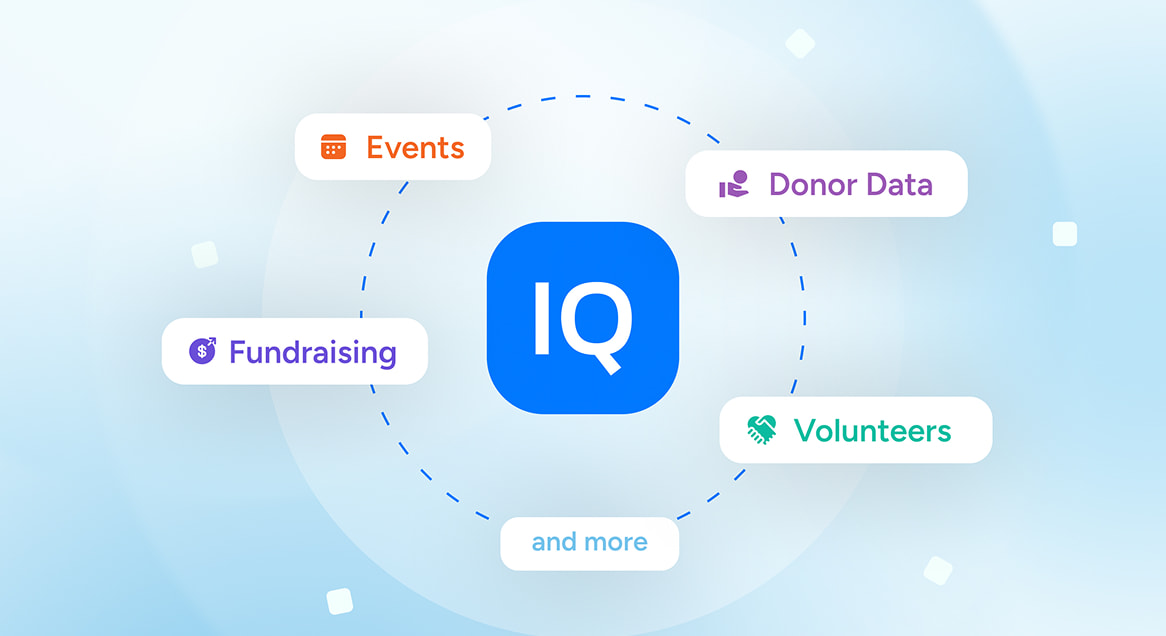
Momentive’s answer to step two is MomentiveIQ, an AI layer for nonprofits and associations that sits across Momentive’s products, including GiveSmart, VolunteerMatters, and Donor Management, so your tools can build on shared data instead of five separate exports.
It isn’t a separate purchase: core capabilities come with a Momentive subscription, and it’s designed to work alongside third-party tools rather than require replacing them.
What’s live today:
- AI Analytics (included in every Momentive subscription): Dashboards, anomaly detection, and natural-language reporting across fundraising, membership, and event data.
- Agentic Workers: Role-specific agents that draft outreach and flag at-risk members for staff approval.
- Connections: Resolves the same person’s donor, member, and volunteer records into one view.
- Experience: Single sign-on and AI-personalized touchpoints for donors, members, and staff.
FAQ: AI Tools for Nonprofits
What Are the Best AI Tools for Nonprofits in 2026?
The best AI tools for nonprofits in 2026 combine a connected platform with complementary, function-specific tools. Momentive’s answer is MomentiveIQ, an AI layer that connects Momentive’s products, including GiveSmart, VolunteerMatters, and Donor Management Software, alongside select third-party tools. From there, teams can add DonorSearch Ai and Fundraise Up for fundraising; Claude and Grantable for content and grant writing; and Otter.ai, Slack, and Zapier for operations. The right mix depends on your goals, but the tools should share data rather than work in isolation.
What Is the Difference Between Generative AI and Agentic AI for Nonprofits?
Generative AI is a great tool for creating new content, such as drafting a grant narrative, donor email, or social graphic. With genAI, a person still needs to be involved to perform these actions. However, agentic AI doesn’t require human intervention. Agents can perform multi-step tasks, and a human can simply review and approve the result.
For example, generative AI for nonprofits could draft an email for lapsing donors. Agentic AI can access your membership data, create an at-risk list, prepare a series of outreach emails, allow for human review and approval, then track the responses.
Is There a Purpose-Built AI Platform for Nonprofits?
Yes. MomentiveIQ is an AI-native platform built with nonprofits and associations in mind. It executes workflows through Agentic Workers (with human oversight, of course), and connects your systems into a single view through Connection. And because MomentiveIQ is an open system, it works alongside the third-party tools you already use.
What Are Some Free AI Tools for Nonprofits?
Several companies offer free or discounted access to eligible nonprofits. Some of the tools that offer free options include:
• Google Workspace with Gemini
• Google Analytics
• Tableau Public
A few tools also provide dedicated nonprofit programs with free or reduced pricing:
• Canva
• Slack
• Google
• Microsoft
Eligibility typically requires verified charitable status, often confirmed through TechSoup, and program terms change, so check current details before applying.
How Do Organizations Use AI Fundraising Tools?
Nonprofits use AI fundraising tools in two main ways:
1. Agentic AI and predictive AI work together to identify and prioritize members by their likelihood to give, renew, or upgrade.
2. Generative and conversion-focused AI personalizes donor communications and donation forms, including dynamic ask amounts.
On an integrated platform, these insights also trigger automated outreach, such as re-engaging donors flagged as at risk of lapsing.
How Do I Choose AI Tools for My Nonprofit Without Creating Data Silos?
Start by mapping where your data already lives, then build on an integrated platform before adding more tools. For each new tool, ask whether it connects to your existing systems or creates another disconnected island of information. Tools that cannot share data tend to add manual reconciliation work that cancels out their efficiency gains.
The Bottom Line
The nonprofits seeing real impact from AI in 2026 are the ones with connected tools, so every insight and automation builds on the same data instead of fragmenting it further. Start with integrated infrastructure, layer the right complementary tools by function, and judge every new addition by whether it connects or isolates.
For more on putting AI to work across your organization, explore Momentive’s AI Resource Hub.