The Best Auction Software for Nonprofits: Standalone Tools vs Unified Platforms

Nonprofits searching for event auction software often focus on and assume they need bidding tools. In reality, what they actually need is a system that connects auction activity to donor relationships, because auction data is only valuable if it continues to inform fundraising after the gavel drops.
Whether you’re looking for online auction platforms, silent auction management apps, or online charity auction software, understanding the difference between standalone bidding tools and unified fundraising systems will save you from costly mistakes.
This guide explains:
- What auction software does
- When standalone auction tools work and when they don’t
- How to choose between simple bidding platforms vs. unified fundraising systems
- How your fundraising model impacts your choice of auction
- Five of the best auction software for nonprofits, depending on your organization
If you’re running more than just auctions and manage campaigns, peer-to-peer fundraising, recurring giving, or multiple events throughout the year, this guide will help you avoid the most expensive mistake: choosing software that solves one problem but creates three others.
What Is Auction Software?
Online auction software (also known as auction bidding software or digital auction platforms) helps nonprofits manage silent auctions, live auctions, hybrid events, and online-only fundraisers.
It replaces paper bid sheets, manual checkout processes, and spreadsheet tracking with automated systems that lets supporters bid from their phones, receive real-time outbid notifications, and pay instantly.
More importantly, nonprofit auction software captures bidder behavior, payment data, and event participation in one place, helping determine whether auction attendees become long-term donors or one-time bidders.
Common auction formats nonprofits use
Silent auctions
Silent auctions allow guests to browse items and place bids on their mobile devices without an auctioneer. Bidders participate at their own pace, receive notifications when they’re outbid, and return to the platform repeatedly throughout the event—creating multiple engagement touchpoints beyond a single bid.
The best silent auction software includes features such as item watchlists, proxy bidding, and mobile-optimized browsing to keep bidders engaged throughout extended auction windows.
Live auctions
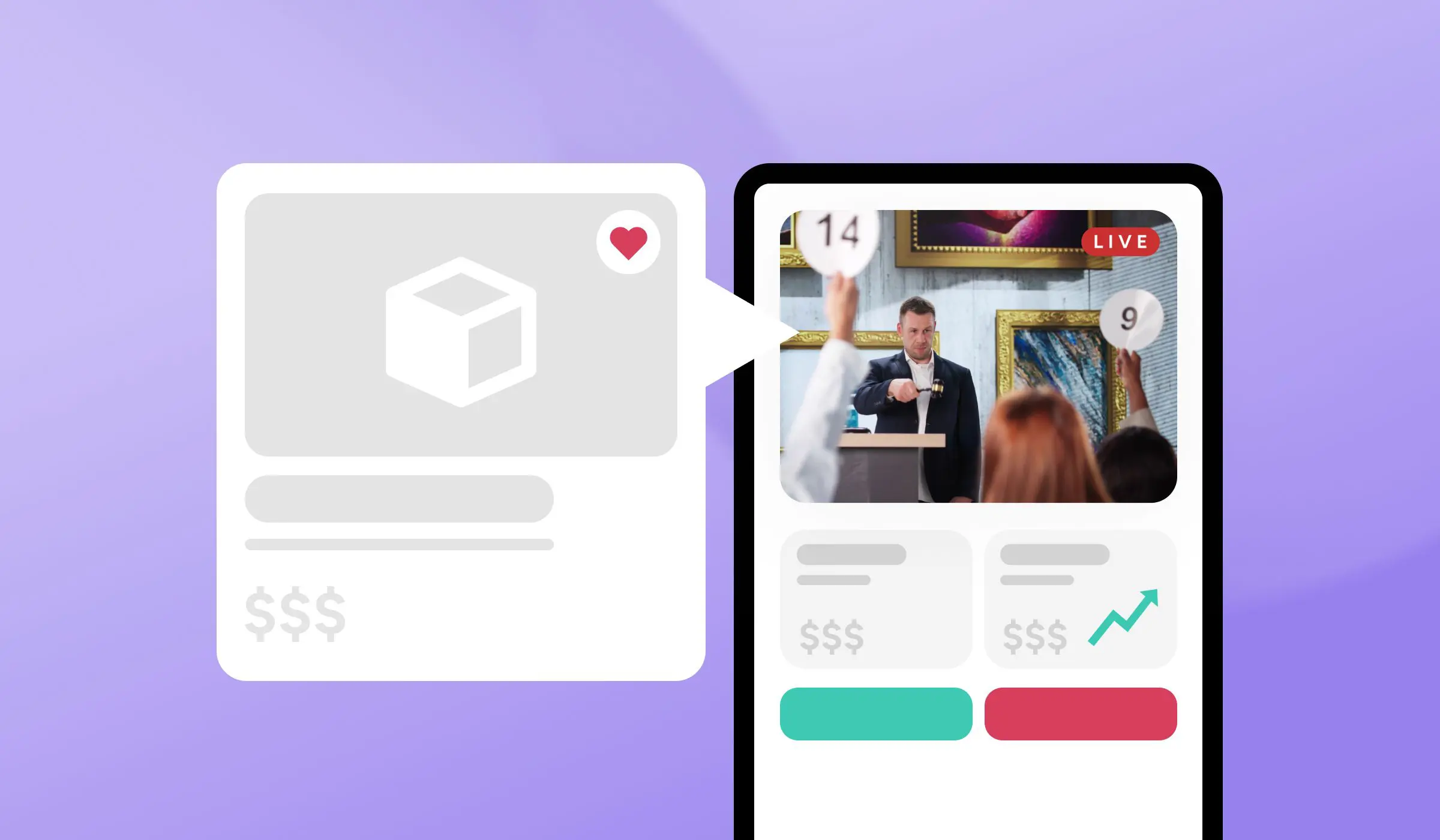
Live auctions feature an auctioneer leading the event with real-time digital bidding. Supporters can bid on their mobile devices while the auctioneer calls out bids, capturing high-intent engagement from your most motivated supporters and donors.
Hybrid auctions
Hybrid auctions combine in-person events with remote participation. Guests at the venue bid alongside supporters joining online, expanding your bidder pool while generating data across both physical and digital attendee experiences.
Online-only auctions
Online-only auctions are fully virtual fundraisers with timed bidding windows. Virtual auction software and online auction platforms make these events effective for reaching new audiences, extending fundraising beyond a single event night, and engaging donors who can’t attend in person.
Online Auction Software for Nonprofits: How It Supports Your Event
Before the event
Auction software helps you create item catalogs by uploading photos, descriptions, starting bids, and bid increment rules. You can manage event registration and ticketing, generate QR codes for in-person bidding, and pre-authorize credit cards to streamline checkout later.
During the event
Donors can use mobile bidding on any device without downloading apps. They receive real-time outbid notifications via email or SMS, prompting them to place higher bids. Live leaderboards display top bids on screens, creating excitement and friendly competition.
When the auction closes, winners can self-checkout with automatic payment processing—no long lines or manual collection required.
After the event
The software sends winner notifications with payment links, delivers automated thank-you emails and tax receipts, and generates auction performance reports showing item performance, bidder activity, and total funds raised.
What happens to your auction data after the event ends is more important than what happens during it. That’s where the difference between standalone auction tools and unified fundraising platforms becomes critical.
Benefits of Online Auction Software for Nonprofits
Modern auction management software delivers benefits in two key areas: donor experience and operational efficiency.
1. Mobile-first bidding eliminates friction
Today’s online bidding platforms and silent auction tools let donors bid from their phones, not crowd around bid tables hunting for pens.
2. Real-time notifications create urgency
Instant outbid alerts drive competitive bidding. When donors receive notifications that someone else wants “their” item, they can re-bid immediately. This FOMO effect significantly increases final auction values.
3. Smooth checkout reduces abandonment
Self-checkout means no long lines at the end of the night. With credit cards captured upfront, payment happens instantly when the auction closes. Digital receipts are sent automatically, eliminating manual follow-up.
4. Remote participation expands your reach
Supporters who can’t attend in person can still bid online. This increases your bidder pool, which typically drives higher final bids. You can even start accepting bids days before the event, extending your fundraising window.
5. Eliminate manual processes
No more transcribing paper bid sheets, reconciling spreadsheets after the event, or chasing down winning bidders for payment. Automation handles it all.
6. Gain real-time visibility during events
See which items have no bids and adjust your strategy on the fly. Monitor the total raised throughout the night. Track bidder engagement and identify your most active supporters.
7. Present professionally
Custom-branded auction pages reflect your organization’s identity. High-quality photos and descriptions effectively showcase of your auction items effectively showcase them. Leaderboards and countdown timers create excitement and drive participation.
8. Reduce post-event administrative burden
The right platform eliminates hours of manual work after your auction closes. The Alzheimer’s Association experienced this firsthand when they unified their auction, ticketing, and donation data in a single platform.
By eliminating manual data exports and reconciliation across multiple events, their team saved dozens of hours per campaign cycle and accelerated donor follow-up from days to hours. When auction data flows directly into your CRM, you spend less time on spreadsheets and more time stewarding relationships.
Standalone Auction Software vs. Unified Fundraising Platforms
Most nonprofits searching for the best auction software assume they’re choosing between feature sets. In reality, they’re choosing between two fundamentally different approaches to fundraising technology: standalone auction software and unified fundraising platforms.
While Bboth standalone tools and unified platforms can tools can function as run online auction platforms, but their roles in a nonprofit’s fundraising strategy differ. Standalone tools don’t integrate with other fundraising and donor management efforts in the way that unified platforms are designed to do. lone they serve very different roles within a nonprofit’s fundraising strategy.
Standalone Auction Software: How It Works and Who It’s For
Standalone auction software is best suited for organizations that run only auctions. For example, one or two galas per year with no other fundraising activities. These tools work well for simple events with straightforward needs and teams that are comfortable managing multiple software platforms.
These platforms focus on auction features, including mobile bidding, item management, and checkout. Most auction platform software in this category integrates with external payment processors, such as Stripe or PayPal, and may connect to separate CRM tools via Zapier or CSV exports.
The impact on donor data
A key issue with standalone tools is that auction data remains separate from your main donor database. This means manual effort—exporting auction results, importing them into your CRM, and then reconciling differences—, which often leads to data gaps and inefficiencies after fundraising events.
The hidden cost of standalone tools becomes apparent after the event or fundraiser, as auction data resides in a separate system from your donor database. This creates post-event manual work: exporting auction results, importing them into your CRM, and reconciling records.
Unified Fundraising Platforms: How It Works and Who It’s For
Unified fundraising platforms, such as GiveSmart, make sense for nonprofits operating multiple fundraising channels—for example, auctions, campaigns, peer-to-peer, and recurring giving.
This type of fundraising auction software is particularly valuable for organizations with $500K-$5M in annual revenue that manage events and ongoing donor relationships while looking to reduce software sprawl.
In a unified platform, auctions are only one module within a complete fundraising ecosystem.
For example, payment processing is built in, not bolted on; a native donor CRM provides automatic data sync without manual exports; and all fundraising activity—auction bids, online donations, event tickets, and recurring gifts—flows into a single donor record.
The impact on donor data
With a unified fundraising platform, auction activity is automatically added to becomes part of each donor’s record, eliminatingwithout manual exports andor reconciliation. Bidding behavior, item preferences, event attendance, and payments sync in real time, creating a complete view of how supporters engage with your organization.
This cross-channel visibility shows how auction attendees continue to engage beyond the event. You can see which bidders also donate online, participate in peer-to-peer campaigns, or convert to recurring giving, which makes it easier to segment follow-up communications and identify high-potential supporters.
Unified reporting tracks lifetime donor value across all fundraising channels, not just auction results. Auction participants flow directly into email workflows, segmented appeals, stewardship plans, and major gift pipelines, rather than living in a disconnected event database.
Because data is already in your CRM, post-event work is dramatically reduced. Thank-you emails go out faster, staff no longer spend hours exporting and reconciling data, and donor retention improves because auction attendees don’t slip through the cracks. Teams train on a single system, work with a single vendor, and operate from a single source of truth.
“We use GiveSmart for everything from events, auctions online, giving QR codes to text to give…. all the different ways to maximize donor giving, and meet the donor where they are. We found that it’s incredibly successful, especially for our Day of Giving.” – MaryEllis Petrosian, Executive Director of Foundation and Fundraising Innovation, YMCA of Greenville.
Key Features to Look For in Auction Software
Whether you choose standalone or unified, certain features are non-negotiable.
Must-Have Features
Mobile bidding with no app download required
Look for web-based bidding that works on any phone, tablet, or computer. The best silent auction apps use QR code generation for in-person events and work on iOS and Android without requiring app store downloads.
Real-time outbid notifications
Instant email or SMS alerts when someone outbids a donor, with a prompt to place a higher bid directly from the notification, keep bidders engaged throughout the auction. Outbid notifications drive competitive bidding and typically increase final auction values by 20-30%.
Automatic payment processing
The software should capture credit card information during registration (pre-authorization), automatically charge winners upon auction close, and eliminate manual payment collection or long checkout lines. This reduces payment abandonment and eliminates post-event collection work.
Custom branding
Upload your logo, colors, and event photos. Branded auction pages and receipts, along with custom domain options (yournonprofit.com/auction), build donor trust and reflect professionally on your organization.
Auction reporting and analytics
Real-time dashboards during the event and post-event reports showing total raised, item performance, and bidder activity are essential. Exportable data helps with board reports and future planning. You need visibility into what’s working so you can improve next year’s auction.
Features That Improve Performance and Scale
These features aren’t strictly required, but they significantly improve bidder experience, engagement, and fundraising outcomes—especially as auction size and complexity increase.
Unlimited items and flexible bid increments
Support for unlimited auction items allows you to scale without artificial platform limits. Custom starting bids, bid increment rules, and “Buy It Now” pricing give you control over pricing strategy per item.
Proxy bidding (maximum bid automation)
Proxy bidding lets supporters set a maximum bid, with the system automatically bidding on their behalf up to that amount. This increases participation from busy donors who can’t monitor the auction constantly and often drives higher final values.
Live leaderboards and countdown timers
Leaderboards display top bids in real time during in-person events, while countdown timers create urgency as the auction closes. These visual elements drive excitement, competition, and last-minute bidding.
Advanced Features for Unified Fundraising Platforms
If auctions are one part of a broader fundraising strategy, these capabilities become critical.
Native CRM integration
Auction data should sync automatically to donor records in real time—without manual exports or third-party tools. Bidding behavior, attendance, and payments should be logged directly in donor profiles. This determines whether auction participants become long-term donors or disappear after the event.
Multi-channel fundraising in one platform
Unified platforms combine auctions, online donations, event ticketing, peer-to-peer campaigns, and recurring giving with shared payment processing and a single donor database. This eliminates software sprawl and ensures complete visibility across all supporter interactions.
Transparent pricing with no surprise fees
Look for clear pricing with no hidden add-ons for premium features, processing fees separated from platform fees, and no per-ticket or per-item charges. Transparent pricing makes it easier to budget accurately and compare vendors fairly.
Best Online Auction Platforms for Nonprofits
- Best Unified Fundraising Auction Software – GiveSmart
- Best Silent Auction App For Auction-Only – Handbid
- Best For First-Time Auction Testing – BiddingOwl
- Best For Donor Retention And Stewardship – Bloomerang
- Best For Large Complex Event Programs – OneCause
Best Unified Fundraising Auction Software
GiveSmart
Overview
GiveSmart is a unified fundraising platform that treats auctions as one component of a complete fundraising ecosystem. It combines auctions, events, campaigns, peer-to-peer fundraising, payment processing, and a native donor CRM in a single system.
It’s designed for nonprofits running multiple fundraising channels that want auction activity to generate donor data, without manual exports or reconciliation.
Key features
- Silent, live, mobile, and hybrid auctions
- Event ticketing, registration, and check-in
- Peer-to-peer and campaign fundraising
- Unified payment processing across all channels
- Native donor CRM with automated data sync
- Mobile-optimized checkout (Apple Pay, Google Pay, PayPal, Venmo)
- Reporting tied directly to donor and fundraising activity
Pros
- Eliminates data silos between auctions, events, and donations
- Auction activity flows directly into donor profiles
- Reduces post-event manual work and reconciliation
- Strong fit for lean teams managing multiple campaigns
Cons
- Not designed for membership-heavy organizations
- More robust than needed for auction-only nonprofits
Pricing
Contact for pricing.
Best Silent Auction App For Auction-Only
Handbid
Overview
Handbid is an auction-specific platform focused on mobile bidding for in-person and hybrid events. It’s designed for nonprofits that primarily run one or two auctions per year and want strong on-site bidding experiences without needing a full fundraising or donor management system.
Key features
- Mobile bidding via native app and web interface
- Silent and live auction support
- Item catalog management and bidder registration
- On-site event support and concierge services (optional)
- Payment processing integrations
Pros
- Strong mobile bidding experience for in-person events
- Purpose-built auction workflows
- Helpful on-site support for live events
- Straightforward setup for auction-only use cases
Cons
- Requires donors to use an app for the best experience
- Auction data lives outside your donor CRM
- Manual exports are needed to connect auction results to donor records
- Not designed for ongoing fundraising beyond events
Pricing
Contact for pricing.
Best For First-Time Auction Testing
BiddingOwl
Overview
BiddingOwl is a lightweight auction platform with a performance-based pricing model. It supports online and in-person auctions and is often used by small nonprofits that want to experiment with auctions without committing to annual software fees.
Key features
- Online and in-person auction support
- Mobile-friendly bidding experience
- Item listings and bid tracking
- Payment processing integrations
- Simple reporting and exports
Pros
- No upfront platform fee (pay-as-you-earn model)
- Easy to launch with minimal setup
- Good entry point for first-time auction fundraisers
- Suitable for low-volume or occasional events
Cons
- 5% platform fee can become expensive as auctions scale
- Limited customization and branding
- Auction data is disconnected from donor CRMs
- Not ideal for organizations running frequent or complex events
Pricing
Contact for pricing.
Best For Donor Retention And Stewardship
Bloomerang
Overview
Bloomerang is a donor-centric CRM that improves donor retention by tracking engagement and providing visibility into donor relationship health. It’s a strong choice for nonprofits where long-term stewardship is the primary priority.
While Bloomerang supports events and fundraising, auctions are typically one part of a broader donor engagement strategy rather than the platform’s core strength.
Key features
- Donor profiles with engagement scoring
- Retention and lapsed-donor reporting
- Segmentation and list-building tools
- Built-in email marketing and integrations
- Core fundraising dashboards
Pros
- Strong focus on donor retention and engagement
- Intuitive interface with low training overhead
- Engagement scores help prioritize outreach
- Ideal for stewardship-driven teams
Cons
- Auction and event fundraising are not the platform’s primary focus
- Complex auctions may require additional tools
- Event-heavy nonprofits may reintroduce data silos
Pricing
Contact for pricing.
Best For Large Complex Event Programs
OneCause
Overview
OneCause is an enterprise-level event fundraising platform supporting auctions, galas, golf tournaments, and large-scale fundraising events. It’s designed for organizations with complex event calendars and dedicated fundraising teams.
Key features
- Silent, live, and mobile auctions
- Large-scale event and ticketing support
- Peer-to-peer fundraising tools
- CRM integrations with enterprise systems
- Advanced event reporting
Pros
- Built for high-volume, complex events
- Strong event production and fundraising tools
- Scales well for large nonprofits
- Suitable for organizations with dedicated event staff
Cons
- Higher cost and complexity than SMB tools
- Less ideal for small or mid-size nonprofits
- Requires CRM integrations rather than native donor management
Pricing
Contact for pricing.
How to Choose the Right Auction Software
Follow this decision framework:
Step 1: Define Your Fundraising Model
Ask yourself: Do we only run auctions, or do we run auctions, campaigns, events, and recurring giving? Are auctions our primary fundraiser, or are they just one of many channels? Your answers determine your technology priorities.
Step 2: Assess Your Current Software Stack
Count how many tools you’re currently using for auction software, donation platform, event ticketing, email marketing, donor CRM, and payment processing.
If you’re using four or more separate tools, a unified platform will likely save money and reduce complexity. If you’re using one or two tools, standalone auction software may be sufficient.
Step 3: Evaluate Integration Needs
Ask vendors these critical questions: “How does auction data sync to our donor database?” “Is the integration native or third-party (Zapier)?” “What data syncs, and how often?” “Can we see auction activity in donor profiles?” “What happens if the sync fails?”
Red flag answers include “You can export a CSV and upload it manually,” “Integration is coming soon,” or “We integrate via Zapier” if you need real-time sync.
Step 4: Calculate True Total Cost
Don’t just compare platform fees. Factor in processing fees (usually 2.9% plus $0.30 per transaction), platform fees (percentage of funds raised or annual subscription), add-on costs (premium features, extra users, support), hidden labor costs (staff time for manual data work), and tool sprawl costs (if auction software requires separate CRM, email platform, and donation forms).
For example, a standalone auction tool might cost $1,200 per year plus 3% platform fee plus 2.9% processing, plus 20 hours of post-event staff time, plus a separate CRM ($600 per year), plus a separate donation platform ($500 per year)—totaling $2,300 plus staff labor plus processing fees.
A unified platform might cost $3,000 per year plus 2.9% processing but include auctions, CRM, donations, events, and automated sync—totaling $3,000 plus processing fees while eliminating manual work and tool sprawl.
Step 5: Test Before Committing
Request demos from your top two or three platforms. Ask to see how auction data flows into donor records. Test the mobile bidding experience as a donor. Review sample reports to confirm you can get the data you need. Talk to current customers and ask about hidden limitations.
Choose based on your fundraising model, not just auction features. The best auction software isn’t the one with the most bidding bells and whistles—it’s the one that fits your complete fundraising strategy.
GiveSmart: Make the Right Choice for Your Nonprofit
The software you choose today determines whether your auction is a one-time fundraiser or a donor acquisition engine that fuels long-term growth.
Standalone auction tools work when auctions are your only fundraising activity. But for nonprofits operating across multiple channels, unified platforms turn auction participation into lasting donor relationships rather than disconnected event data.
FAQ
Auction software helps organizations run auctions — online, in-person, or hybrid — by managing item catalogs, bids, payments, checkout, and reporting in one platform. It replaces manual bidding sheets and spreadsheets.
It increases revenue, simplifies event logistics, enables mobile bidding, automates payments, and improves donor or bidder experiences — leading to higher engagement and more funds raised. Book a demo today to learn more.
Most platforms handle silent auctions, live auctions, online auctions, and hybrid events that combine in-person and virtual participation.
Many solutions sync with donor databases and fundraising platforms so auction activity becomes part of the overall supporter data.
Yes — many platforms add ticketing, raffles, donation pages, and event tools to support broader fundraising campaigns.
Struggling to keep your volunteer program organized? Discover what volunteer management software can do for your organization.