
Choosing a nonprofit payment processor seems straightforward at first: find something that accepts donations and charges reasonable fees.
But most nonprofits discover too late that your payment processor doesn’t just move money: it creates your fundraising data, determines your operational burden, and directly impacts donor retention.
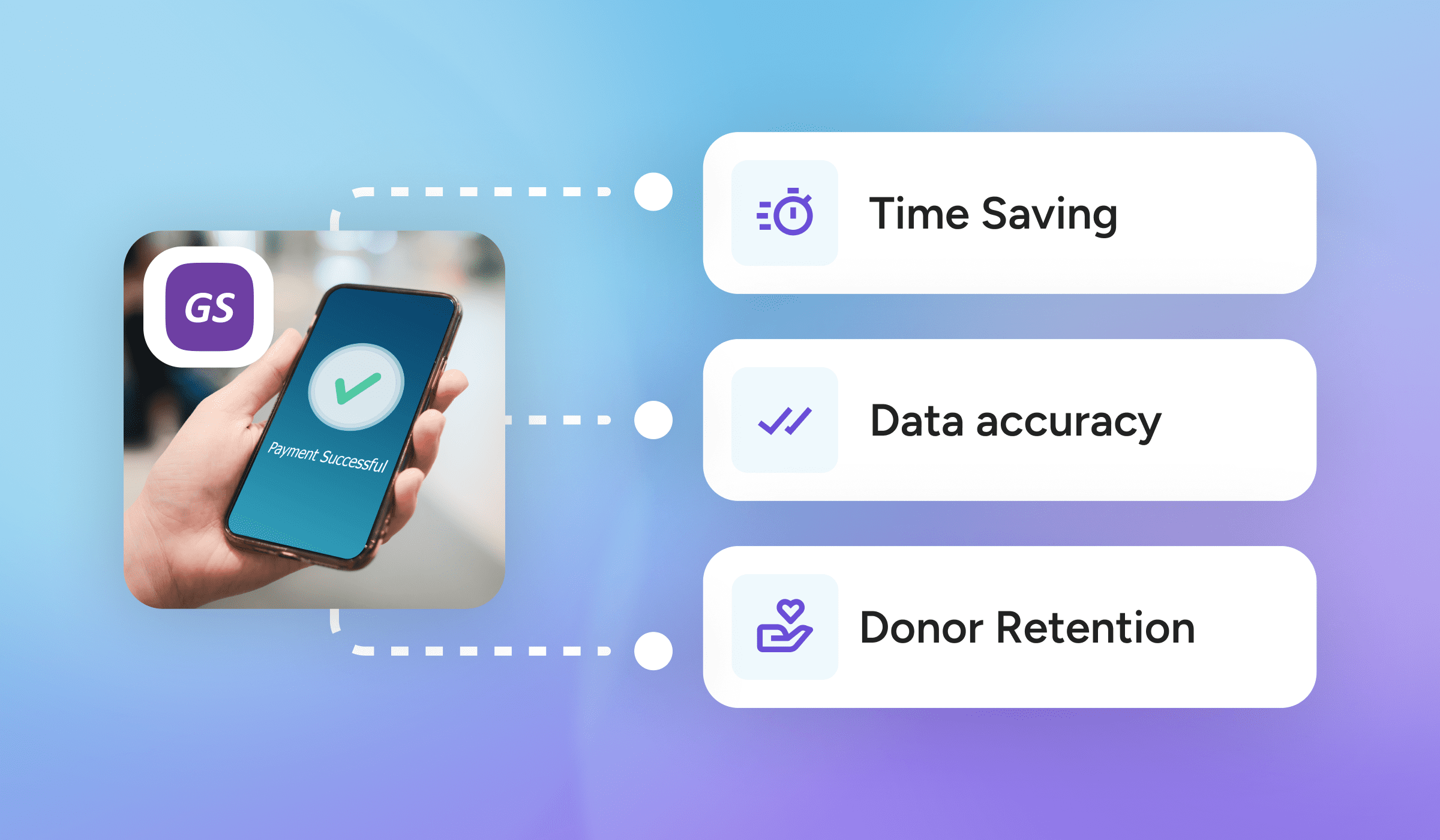
The difference between a basic online payment system and the right fundraising infrastructure can mean 10-20 hours per month in manual data entry, a 20-30 percentage point difference in donor retention, and thousands of dollars in hidden operational costs.
This guide explains:
- How a nonprofit payment processor actually works and what happens after the transaction
- The hidden costs of basic payment processors as your fundraising grows
- Three types of integration and why quality matters more than features
- How to match your payment processing approach to your fundraising maturity
- The platforms that serve three distinct nonprofit profiles
Whether you’re processing your first donations or consolidating a complex fundraising operation, this guide will help you make strategic decisions that benefit your organisation.
What Is Nonprofit Payment Processing?
Nonprofit payment processing technology enables your organization to accept and process donor contributions. It allows you to accept credit card payments, ACH transfers, digital wallet payments, and other electronic giving methods.
Payment processing is more than just a way to collect money. Every transaction collects data, helping you track donor activity, accurately attribute revenue, and understand fundraising performance over time.
This is why choosing a nonprofit payment processor matters much more to nonprofits than to typical businesses.
For example, a retail company needs to process transactions and get paid. But your nonprofit needs to:
- Track donor identity and history across multiple giving channels (events, online campaigns, peer-to-peer fundraising)
- Maintain accurate records for tax receipts, gift acknowledgments, and IRS compliance
- Build relationships through personalized stewardship based on giving patterns
- Report on fundraising performance to your board, staff, and stakeholders
- Make strategic decisions about which campaigns work and which donors to cultivate
Your payment processor determines whether this data flows seamlessly into your donor management software or remains trapped in separate dashboards, requiring manual exports and hours of reconciliation.
Payment Processor vs. Payment Gateway: What’s The Difference?
The terms payment processor and payment gateway are often used interchangeably, which creates confusion for nonprofit buyers. While they serve similar roles in the payment flow, they aren’t the same.
- A payment gateway captures and securely transmits payment information. When a donor enters their credit card or bank details into a donation form, the gateway encrypts that data and sends it to the processor for authorization.
- A payment processor handles the financial side of the transaction. It communicates with banks and card networks to verify funds, approve or decline the transaction, and ensure funds are deposited into the nonprofit’s account.
Many nonprofit fundraising platforms bundle the donation payment gateway and processor together, so organizations never interact with them separately. In other setups, nonprofits use standalone processors and gateways alongside separate fundraising or CRM tools.
When payment tools are separate from donor management systems, data must be moved between platforms through integrations that require monitoring and reconciliation. When nonprofit payment processing is embedded within a fundraising platform, payment data lives alongside donor records, campaigns, and reporting.
Two Models for Nonprofit Payment Processing And Who They’re Built For
Understanding the options helps you choose the right fit for your organization’s stage and needs:
1. Standalone Payment Processors
Payment tools such as Stripe, PayPal, and Square are designed to accept payments for businesses and organizations of all types. They excel at securely processing transactions and depositing money into your bank account.
What they do well:
- Accept credit cards, debit cards, and digital wallets
- Provide secure and compliant donation processing for nonprofits
- Offer a relatively straightforward setup
- Charge competitive processing fees
What they don’t do:
- Connect payment data to donor records automatically
- Provide fundraising campaign tools
- Offer event or auction management
- Generate donor-specific reports
- Create tax receipts or acknowledgment letters
- Track giving history across channels
Standalone processors work for very early-stage nonprofits with simple giving needs. For example, organizations with revenue under $100K in revenue that accept donations through one or two channels.
Beyond that point, the manual effort required to connect payment data to donor management becomes a huge operational burden.
2. Integrated Fundraising Platforms with Native Payment Processing
Platforms like GiveSmart or Wild Apricot build payment processing into a broader fundraising ecosystem.
They’re designed specifically for nonprofits and understand that payments are donor touchpoints that require follow-up, acknowledgment, and relationship-building.
What makes them different:
- Payment processing is embedded within fundraising tools (donation forms, event ticketing, peer-to-peer campaigns, auctions)
- Payment data automatically flows into donor management and reporting
- One platform handles multiple fundraising channels
- Built-in tools for donor acknowledgment, tax receipts, and stewardship
- Reporting connects payments to fundraising outcomes
- Support teams understand nonprofit workflows and compliance needs
These payment platforms for nonprofits make sense for growing organizations with multiple fundraising channels that run events alongside year-round campaigns, as well as for teams that need to reduce manual data entry while improving the donor experience.
How Payment Processing Works in Practice
Let’s walk through two scenarios using the exact same donation: Olivia gives $100 to your annual fund through your website.
Scenario 1: Basic Payment Processor
Steps 1-3 happen automatically:
- Payment accepted: Olivia enters her credit card information on your donation form. The payment gateway securely encrypts and transmits the data. The processor verifies that her card is valid and that she has sufficient funds. The transaction is approved.
- Transaction fee deducted: The processor automatically deducts their fee, let’s say 2.9% + $0.30 = $3.20. Your nonprofit will receive $96.80.
- Money deposited to the bank: Within 2-3 business days, $96.80 appears in your organization’s bank account.
At this point, everything appears to be working perfectly. The donation was accepted, the funds are being sent, and Olivia received an automated email confirmation from the payment processor. But now what?
Olivia’s payment information lives in your Stripe or PayPal dashboard. It’s not in your donor database or connected to her giving history (if she’s a repeat donor), and it’s not accessible to your development director when she’s planning donor outreach.
Here’s what happens next at most nonprofits:
- Day 1-2: Data export: Someone on your team logs in to the payment dashboard. They export a CSV file of recent transactions. Depending on how often you do this, the file might contain dozens or hundreds of transactions across multiple campaigns.
- Day 2-3: Data cleanup: The exported data doesn’t always match the format of your donor database. You need to:
- Standardize name fields (Stripe shows “O. Johnson” but your database has “Olivia Johnson”)
- Parse addresses that came through in different formats
- Convert date/time stamps to match your system
- Calculate net amounts after fees
- Add campaign attribution that wasn’t captured
- Flag potential duplicate records
This isn’t a 5-minute task. For a small organization processing 50-100 transactions per month, this typically takes 2-4 hours. For organizations running multiple simultaneous campaigns or monthly events, it can take a full day or more.
- Day 3-5: Matching and data entry: Now you need to figure out whether Olivia is a new donor or has given before. If your donor database doesn’t have sophisticated duplicate detection, you’re manually searching:
- Is there an Olivia Johnson already in the system?
- Wait, there’s also an O. Johnson with a different email. Is that the same person?
- The address is slightly different (she wrote “Street” this time, “St.” last time)—is this a new person or an update?
For new donors, you create records. For existing donors, you update their information. For unclear matches, you spend time investigating or make a judgment call.
- Day 5-6: Thank-you letters: Only after donor records are updated can you create acknowledgment letters. Many nonprofits batch these monthly to save time. You generate letters, stuff envelopes (or send emails), and finally thank Olivia for her gift.
- Day 7: Olivia receives acknowledgment: If everything went smoothly and quickly, Olivia will be thanked within a week of her gift. More commonly, it’s 2-3 weeks, especially if her donation came in near the end of your monthly processing cycle.
The operational impact:
- Staff time: 10-20 hours per month on data work that doesn’t directly raise funds
- Delayed acknowledgment: Research shows donors acknowledged within 24 hours are 40% more likely to give again
- Incomplete donor records: If someone misses an export cycle or makes a matching error, the giving history has gaps
- Reporting lag: Campaign ROI reporting is always 1-2 weeks behind because data isn’t live
- Risk of error: Every manual step is an opportunity for mistakes—wrong attribution, duplicate records, missed gifts
This is why basic payment processors stop working as your fundraising grows.
For early-stage nonprofits accepting 10-20 donations per month through one channel, manual data management is annoying but manageable. Once you’re running multiple campaigns, hosting events, and processing hundreds of transactions monthly, it becomes unsustainable.
Scenario 2: Integrated Nonprofit Payment Platform
Let’s replay Olivia’s $100 donation, but this time through a unified fundraising platform:
Steps 1-3 are identical:
- Payment accepted: Olivia completes the donation form. The payment gateway encrypts and transmits. Processor approves.
- Transaction fee deducted: Processor deducts 2.9% + $0.30 = $3.20.
- Money deposited to the bank: $96.80 deposited within 2-3 business days.
But Step 4 is completely different because data flow begins immediately.
Here’s what happens behind the scenes, without any staff intervention:
- Within seconds:
- Olivia receives a branded donation confirmation email with her tax receipt
- Her transaction appears in your campaign dashboard with real-time reporting
- If this is her first gift, a new donor record is created with all captured information
- If she’s given before, her existing record is updated, and the history reflects the new $100 gift
- That night, via an automated nightly sync:
- Payment data from all sources (online donations, event registrations, peer-to-peer fundraising) syncs into your donor CRM
- Olivia’s donor profile now shows:
- Total lifetime giving ($100 if new, updated total if repeat donor)
- Number of gifts (1 if new, incremented if repeat)
- Largest gift amount
- Most recent gift date (today)
- Giving frequency
- Preferred payment method
- Campaign attribution (Annual Fund 2025)
- The next morning:
- Your development director opens the donor CRM and sees Olivia’s updated profile
- A thank-you letter template auto-populates with Olivia’s information and gift details
- The development director personalizes it with a sentence or two
- Olivia receives a heartfelt, personalized thank-you email within 24 hours of making her gift
The operational impact:
- Time savings: Instead of spending 10-20 hours per month on manual data entry, your team focuses that time on donor relationships, campaign strategy, and fundraising activities that generate revenue.
- Donor retention: If Olivia is thanked quickly and made to feel valued, she’s significantly more likely to give again. Over time, this compounds. A 20-percentage-point improvement in retention rate means substantially more revenue without increasing acquisition costs.
- Staff capacity: When staff aren’t spending hours on data entry and cleanup, they can:
- Make personal phone calls to thank major donors
- Conduct donor visits
- Plan strategic campaigns
- Steward monthly sustainers
- Focus on relationships instead of spreadsheets
- Data accuracy: Automated sync eliminates human error. No more:
- Duplicate records because someone created “Oliva Johnson” when “Olivia Johnson” already existed
- Missed transactions because someone forgot to export data before going on vacation
- Wrong campaign attribution because someone miscoded a batch
- Incomplete giving history because the data got lost in translation
- Real-time insights: Campaign dashboards update continuously. You can see:
- Which donation form is converting better (A/B test results in real-time)
- How today’s email appeal is performing vs. last month’s
- Whether your event ticket sales are on track
- Which peer-to-peer fundraisers need encouragement
Instead of waiting a week or two for reports, you make decisions based on current data.
How Your Fundraising Maturity Determines Your Payment Processing Platform
The best nonprofit payment processing system is determined by fundraising maturity, i.e., how many channels you run, how much data you generate, and how much operational complexity your team can realistically manage.
Most nonprofits don’t wake up one day and decide they’ve outgrown their payment processor. Instead, the gap shows up gradually: more manual work, less confidence in reports, slower donor follow-up, and a nagging sense that systems are working against the team.
Understanding where your organization sits on this maturity curve helps clarify which donation processing approach will support you and which will quietly create friction.
Early-Stage Nonprofits: Under $100K in Annual Revenue
- Typical profile
- One primary fundraising channel (often online donations)
- One annual event or appeal
- Small donor base
- Very lean staff, often part-time or volunteer-supported
- Payment needs: The primary goal is to accept donations reliably without incurring unnecessary costs or complexity. Most organizations here rely on standalone payment processors or basic donation tools to:
- Accept credit cards and digital wallets
- Keep fees predictable
- Get up and running quickly
- Why this works
- Transaction volume is low
- Data volume is manageable
- Manual tracking is still feasible
- Reporting requirements are simple
- When this stops working: The moment a second fundraising channel is added—such as a second event, recurring giving, or a peer-to-peer campaign—the cracks begin to show. What once felt “simple” starts requiring spreadsheets, exports, and manual coordination.
Growing Nonprofits: $100K–$500K in Annual Revenue
- Typical profile
- Multiple fundraising channels (events and campaigns)
- Growing donor list
- Increasing expectations for reporting and stewardship
- Staff juggling fundraising, operations, and administration
- Payment needs: At this stage, nonprofits need more than payment acceptance. They need visibility and coordination. Warning signs that basic processors are becoming a problem include:
- Manual exports are becoming weekly or daily tasks
- Duplicate donor records across systems
- Difficulty seeing a donor’s full giving history
- Event payments disconnected from donor data
- Acknowledgements are delayed because the data needs cleanup first
- What’s happening operationally: The organization hasn’t chosen the wrong tool—it’s outgrown a setup that treats payments as isolated transactions rather than as part of a growing donor relationship.
This is often the stage where nonprofits start layering tools, such as adding CRMs, event platforms, or donor databases, without fully solving the underlying data-flow problem.
Established Multi-Channel Nonprofits: $500K–$5M in Annual Revenue
- Typical profile
- Events, auctions, peer-to-peer campaigns, recurring giving, and online donations
- High transaction volume across multiple channels
- Increased scrutiny on reporting and ROI
- Staff under pressure to move faster with fewer errors
- Payment needs: At this level, payment processing must function as infrastructure. Organizations here need:
- Payments that automatically connect to donor records
- Unified views of giving across channels
- Reporting that reflects reality without reconciliation
- Systems that reduce manual work rather than create it
- What breaks without this
- Data silos between fundraising channels
- Incomplete donor views that limit stewardship
- Delayed insights that slow decision-making
- Staff burnout caused by constant data management
For nonprofits in this range, continuing to rely on disconnected processors and tools becomes a strategic risk—not just an operational inconvenience. This is where integrated nonprofit payment platforms like GiveSmart deliver the most value.
Enterprise Nonprofits: Above $10M in Annual Revenue
- Typical profile
- Complex operations
- Dedicated finance and IT teams
- Enterprise CRM or AMS is in place
- High expectations for customization, governance, and analytics
- Payment needs: Enterprise organizations require:
- Highly configurable payment logic
- Robust integrations with enterprise systems
- Advanced analytics and reporting
- Formal compliance and security processes
At this stage, payment processing decisions are often driven by broader technology strategy rather than fundraising operations alone. These organizations may accept higher operational overhead in exchange for flexibility and control.
Understanding the Three Different Types of Payment Processor Integration
Integration is the process of bringing payment data from the transaction source into your donor management system. For example, when a donor gives $100 through your website, that information needs to end up in your donor database so you can:
- Thank them
- Track their giving history
- Update your fundraising reports
- Plan future outreach
Integration is the process that makes that happen.
1. Native/Built-In Integration
Native integration is payment processing built directly into your fundraising platform. There is no separate payment processor to “integrate”—it’s all one system from the start.
- Real-world example: GiveSmart includes payment processing within its fundraising and donor management platform. When someone donates through a GiveSmart form, registers for an event, or bids in an auction, the payment happens inside the same system where donor records live.
- Benefits
- Reliability: Native integrations rarely break because one team builds, tests, and maintains the entire system. There’s no “System A updated, and now System B won’t connect” scenario.
- Complete data transfer: The platform was designed with integration in mind, so all relevant data fields transfer automatically.
- Zero maintenance: You’re not managing an integration. It’s not something that needs monitoring, troubleshooting, or updating.
- One support contact: If anything goes wrong anywhere—payment processing, data sync, or reporting—you call one support team that owns the entire system.
- No extra costs: Integration is included in your platform subscription.
2: Third-Party Integration
Third-party integration is separate systems (e.g., a payment processor and a donor database) that connect via a third tool, middleware, or custom API configurations.
- Common third-party platforms: Zapier, Make (formerly Integromat), Tray.io, or custom integrations built by developers.
- Real-world example: You use Stripe to process online donations and Bloomerang as your donor CRM. Zapier sits between them:
- Stripe processes a $100 donation
- Stripe sends transaction data to Zapier via API
- Zapier receives the data and applies your configured automation rule
- Zapier translates Stripe’s data format into Bloomerang’s format
- Zapier sends the formatted data to Bloomerang via API
- Bloomerang creates or updates a donor record
- Benefits
- Flexibility: You can connect virtually any two systems that support APIs. You’re not locked into a vendor’s ecosystem.
- Customization: You control exactly what data syncs and under what conditions. Want to only sync donations over $50? Want different workflows for one-time vs. recurring gifts? Third-party platforms allow granular rules.
- Best-of-breed approach: You can use your favorite tool for each function—preferred payment processor, favorite email platform, chosen donor database—and connect them all.
Many nonprofits start with a third-party approach for flexibility, then eventually consolidate onto a unified platform because maintenance becomes unsustainable.
3: Manual Integration
Manual integration in the DIY process of exporting data from one system and manually importing it into another.
- Real-world example: You use PayPal for online donations. Once a week, you:
- Log in to PayPal
- Export a CSV file of recent transactions
- Open the file in Excel or Google Sheets
- Clean up data formatting
- Log in to your donor database
- Import or copy-paste the data
- Manually check for duplicate donor records
- Fix errors and mismatched entries
- Benefits: This is technically possible with any payment processor, even those that don’t offer automated integration capabilities.
But if you’re currently doing manual integration and processing more than 50 transactions per month, you’ve outgrown this approach. The staff time cost alone justifies upgrading to an automated solution.
Nonprofit Payment Processing Platforms: Comparison by Use Case
- Basic Payment Processors — Stripe, Square
- Donation-Focused Platforms — Donorbox, Zeffy
- Event-Focused Platforms — OneCause, Greater Giving
- Integrated Fundraising Platforms – GiveSmart
Best for Early-Stage and Single-Channel Fundraising
Stripe
- Strengths: Developer-friendly, reliable, well-documented
- Limitations: Requires technical setup, no fundraising features, and manual donor management
- You’ve outgrown it when you need more than transaction processing
- Pricing: 2.9% + $0.30 per transaction
Square
- Strengths: In-person and online, point-of-sale hardware
- Limitations: Not nonprofit-specific, limited donor tools
- You’ve outgrown it when you need fundraising campaign management
- Pricing: 2.6% + $0.10 online; 2.5% in-person
Who they’re right for: Nonprofits under $100K with basic donation needs and in-house technical capacity to connect payments to donor records manually.
Best for Growing Nonprofits
Donorbox
- Strengths: Affordable, recurring donations, embeddable forms
- Limitations: Light on event management, basic reporting
- Pricing: 1.75% platform fee + processing fees
Zeffy
- Strengths: Zero-fee platform (donors cover fees)
- Limitations: Limited to donors willing to cover fees, basic features
- Pricing: 0% to nonprofit if donors opt-in to fee coverage
Who they’re right for: Nonprofits focused primarily on online donations with limited event or multi-channel needs.
Best for Event-Heavy Nonprofits
OneCause
- Strengths: Auction management, mobile bidding, event expertise
- Limitations: Complex pricing with multiple add-ons, less integrated donor management
- Pricing: Module-based, ticketing fees, and a monthly MID fee
- Watch for the total cost across all needed modules
Greater Giving
- Strengths: Auction-specific tools, handheld bidding devices
- Limitations: Event-only focus, doesn’t connect to year-round fundraising
- Pricing: Per-event licensing
Who they’re right for: Nonprofits where 80%+ of fundraising comes from events, particularly auctions, and event revenue justifies specialized tools.
Best for Multi-Channel Fundraisers ($500K-$5M Revenue)
GiveSmart
GiveSmart combines payment processing, events, fundraising campaigns, and a native donor CRM in one platform, with automated nightly data sync that removes the need for manual exports and reconciliation.
- Strengths:
- Unified payment processing across donations, events, auctions, P2P, and ticketing
- Daily automated data sync from all payment channels into the native donor CRM
- Single sign-on across all modules—one login, one platform
- Transparent pricing: No hidden fees, no per-ticket charges, no module add-ons
- Unlimited campaigns and events included
- Extended support: Phone, email, chat available beyond business hours
- Built-in thank-you letter tools for faster donor acknowledgment
- Ideal for:
- Education, human services, arts & culture, healthcare, recreation nonprofits
- Organizations running multiple fundraising channels (events, campaigns, and P2P)
- Teams seeking to eliminate manual data work
- Nonprofits wanting to consolidate 3-5 separate tools
- Limitations: Not built for enterprise nonprofits (>$10M) needing highly customized CRM
- Pricing: Annual subscription, transparent pricing.
“I can’t keep working on spreadsheets that just have a bunch of lists of names and dates and phone numbers… the fact that I have a tool like GiveSmart means that I can actually track donors and gift history. It wasn’t even a possibility beforehand, so we were losing money.” – Jennifer B. Director of Development, St. Anthony Catholic School
Payment Processing as Fundraising Infrastructure
Payment processing is the infrastructure that powers your entire fundraising operation. The quality of your payment infrastructure determines:
- How your donor data gets created
- How much time does your team spend on manual work
- How quickly can you thank donors
- Whether you can trust your reports
- How donor relationships get managed
This is why the “best” nonprofit payment processing software isn’t the one with the lowest fees—it’s the one that matches your fundraising maturity and reduces operational friction as you grow.
GiveSmart is built specifically for nonprofits with annual revenue between $500K and $5M that run multi-channel fundraising. If you’re tired of juggling separate tools, spending hours on manual data work, and thanking donors too slowly, we can show you a better way.
FAQ
What Is Nonprofit Payment Processing Software?
Software that allows nonprofits to accept donations, track donor activity, and manage giving history across multiple channels.
What’s the Difference Between a Payment Processor and Payment Gateway?
A payment gateway transmits donor payment info; a processor handles the transaction and deposits funds.
What Are the Three Types of Payment Processor Integration?
Native/Built-In: Fully integrated within the fundraising platform.
Third-Party: Connects separate tools via Zapier or API.
Manual: Export/import data manually—high time and error risk.
When Should a Nonprofit Upgrade From a Basic Payment Processor?
When you run multiple campaigns, process hundreds of donations monthly, or need automatic donor data sync.
Why Is Payment Processing Considered Fundraising Infrastructure?
It powers donor tracking, reporting, acknowledgment, and reduces operational friction for all fundraising activities.